See a note.
Nameit.
See a piano note and name it in this free reading drill. Practice treble and bass clefs, then review the notes you missed. Children and adults can start right in their browser.
- No sign-up needed
- No installation
- Optional sync later
Try one note
Look, listen, answer.
One note appears. Just tap its name. Choose 5, 10 or 20 questions per drill.
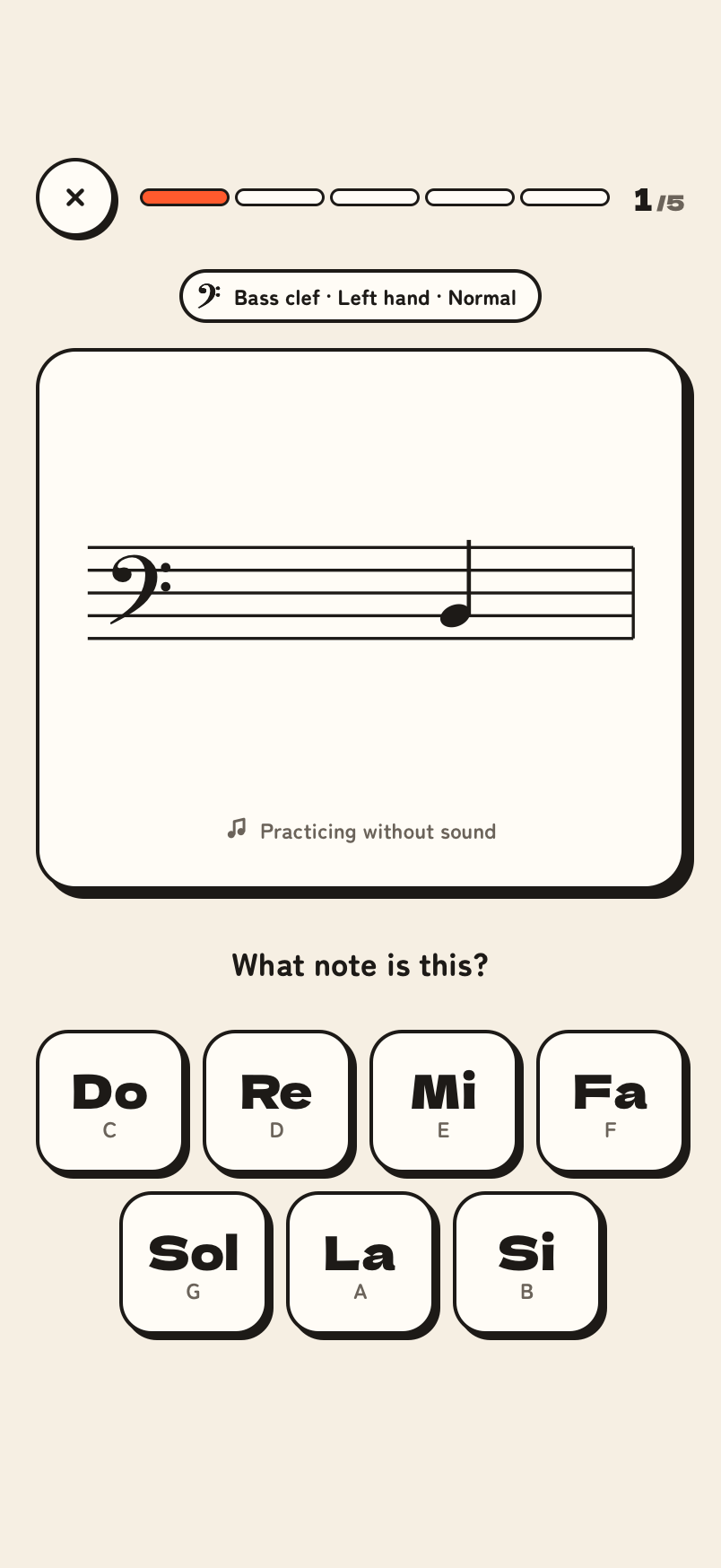
See and hear the note
A single note appears on the staff with its sound. Learn with your eyes and ears.
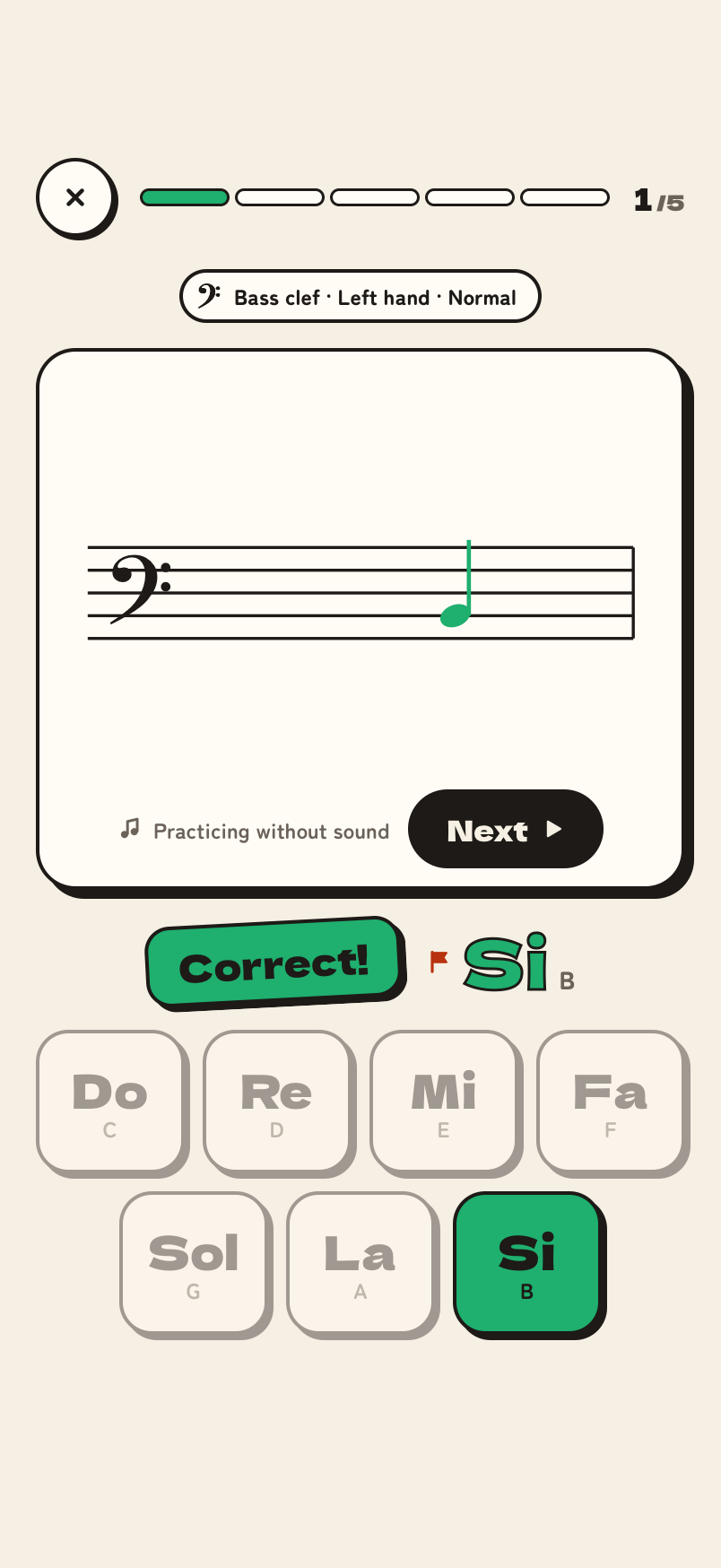
Tap the note name
Use large buttons or piano keys. Confetti celebrates a correct answer.
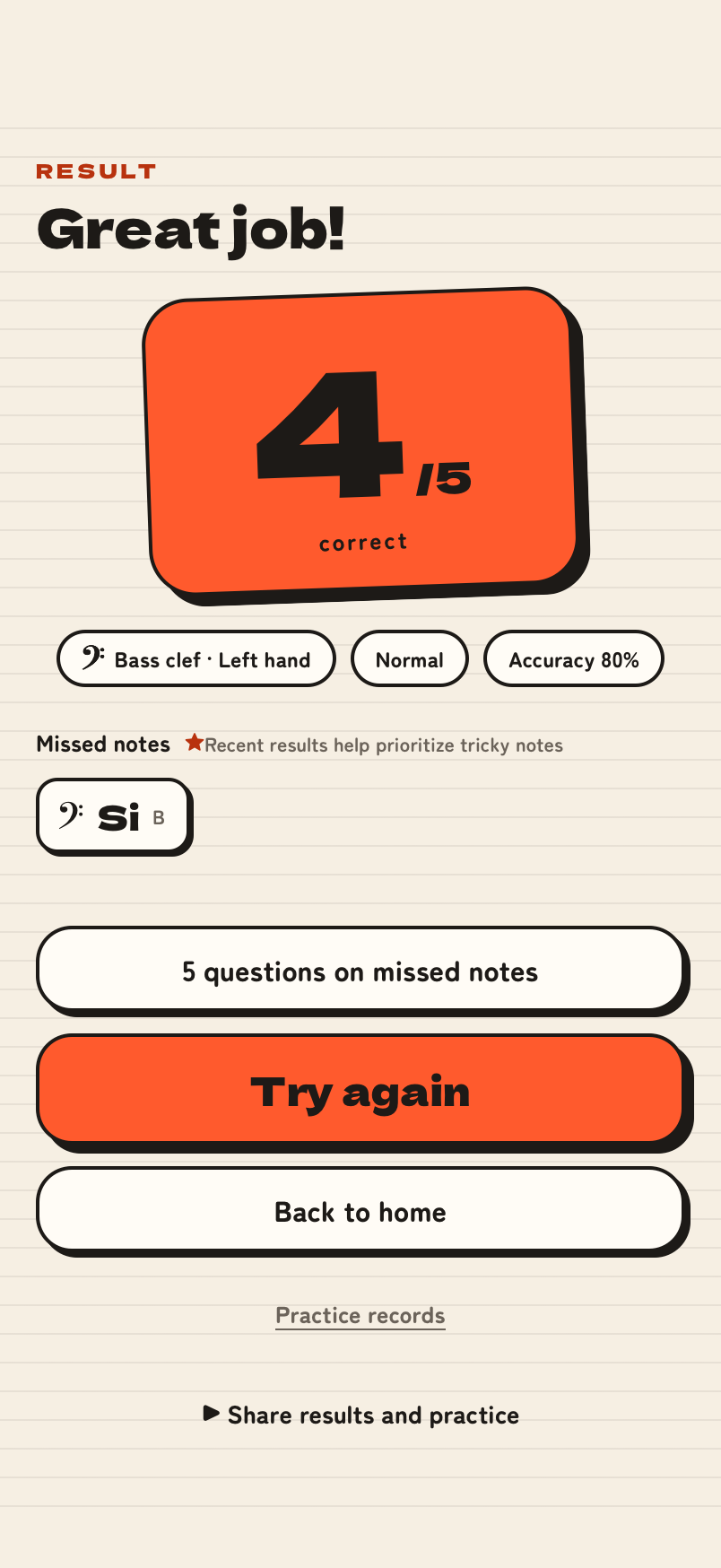
Review missed notes
Check missed notes on the results screen. They are added to your tricky notes automatically.
Right hand. Left hand. Both.
Treble, bass and grand staff: three modes to explore. In each one, middle C helps you find nearby notes.
Treble clef
Right handNotes from middle C upward
Bass clef
Left handNotes from middle C downward
Grand staff
Both handsMix treble and bass notes
Widen your range as you go.
No sharps or flats in the basic drill. Focus on reading positions, adding more ledger-line notes as you progress.
Within the staffUp to one ledger lineUp to two ledger linesNotes in this drill91317notes
Treble clef, Easy: Within the staff, 9 notes
Treble clef, Normal: Up to one ledger line, 13 notes
Treble clef, Hard: Up to two ledger lines, 17 notes
Bass clef, Easy: Within the staff, 9 notes
Bass clef, Normal: Up to one ledger line, 13 notes
Bass clef, Hard: Up to two ledger lines, 17 notes
- Included notes
- Added at this level
- Not included
Missed a note?
Practice it until it sticks.
We prioritize tricky notes from the past seven days. Reach 80% accuracy or answer a note correctly three times in a row to graduate it.
When you miss a note…
See the correct answer right away.
Saved as a tricky note
Tracked by clef and exact staff position, including ledger lines.
More chances to practice
About 4 in 10 regular questions target tricky notes. Look for the star.
Three in a row to graduate
Three correct answers in a row remove it from the list.
Choose focused practice from home to spend more time on notes with lower recent accuracy.
For children and adults.
Change the settings to change the challenge, from your first notes to sight-reading practice.
A first step in note reading
- Just tap a large button
- Hear notes as you learn
- Celebrate correct answers with confetti
Suggested settings
- Easy
- Do Re Mi
- 5 questions
- Sound: With question
- Buttons
Refresh your skills or practice sight-reading
- Play sound after answering to practice reading by sight
- A wide range with up to two ledger lines
- Answer on piano keys to learn their positions too
Suggested settings
- Hard
- CDE
- 20 questions
- Sound: After answer
- Piano keys
How to read notes
Start by connecting staff positions to note names. Recognize treble and bass clefs, then use middle C as a reference.
How to read notes — Treble, bass and middle C • Fuyomi DrillFrequently asked questions
Is it free?
Yes. All drills and practice records are free, with no app to install.
Can I use it if I cannot read music yet?
Open Choose practice and try the three-note treble or bass introduction. Check the positions, then practice five questions at a time.
Are there sharps or flats?
The regular note-name drill has no accidentals. Choose practice also offers octaves, sharps and flats, and key signatures.
Do I need an account?
Regular drills work without an account. An optional passkey account enables device sync, class assignments and submissions, and the shared daily challenge with optional public results. You can browse rankings without signing in.
Can I use a tablet or computer?
Yes, it runs in a browser on phones, tablets and computers. The layout is designed for a phone held upright.
How long is one drill?
Choose 5, 10 or 20 questions. Short, regular practice is a good place to start.